
Table of contents
ZMC is Web based
- ZMC can be used from any machine on the network.
- Users don't need to remember detailed command line instructions on the server.
- In order to access ZMC, please open the browser and point it to the backup server. E.g. if the backup server is amandabackupserver.company.com, and a user has specified 1234 for the web server during the installation process, use for following URL:
http://amandabackupserver.company.com:1234/
- By default, the ZMC web server uses port 80 on the Amanda server.
Initial User name and Password
Once ZMC is downloaded and installed it will allow the user to log in with the default User name "admin" and password "admin”.
- It is recommended that users change the Password as soon as possible.
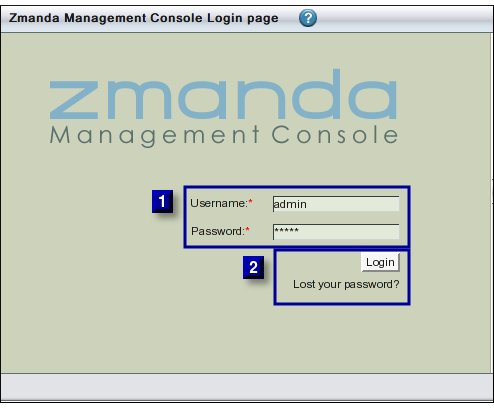
After entering the User Name and Password (Area 1 above), please click the Login Button to proceed further.
- Clicking 'Lost your Password' will cause ZMC to send an email to the address provided with a freshly generated password.
Example
Subject: from zmanda ZMC
You have requested a temporary password at ZMC at amandaserver.company.com
Here is your new password: ts19197ol
Login to ZMC at amandaserver.company.com with this password
- Please select a new password once logged in.
- How to change password is shown here.