
Table of contents
No headersThe Run Restore page lets you launch and monitor the restore process that has been selected in the previous dialogs.
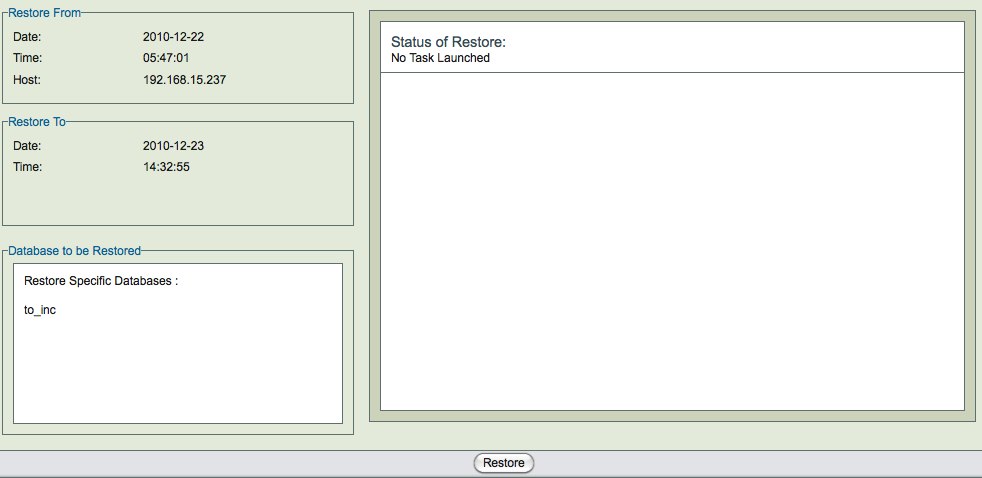
The three panels on left side (Restore From, Restore To, and Database to be Restored) of the page contain the data previously gathered. Note the the Restore To host is displayed only if it differs from the the Restore From host.
The Restore button is at the center bottom of the page. The two right hand panels (Nos. 4 and 5) contain progress messages.
Restores can take a long time if the database is large. The status of the restore process is shown in right hand panel. The restore process can be canceled using the Cancel link that appears in the right hand pane. ZRM will cancel the restore process only when it is safe to do so (i.e, will not cause data corruption or loss of data).
Restore task can be canceled
- Before restore process starts
- When waiting for user input
- Between restoration of images i.e, i.e, between full backup restoration and incremental backup restoration and between incremental backup restorations.
After restoration, it is important to check the database(s)/table(s) that were restored. SQL command CHECK TABLE can be used for consistency checking. Use of EXTENDED option is recommended. EXTENDED option does a full key lookup for all rows in the table and will take significant time for a large database.
mysql> CHECK TABLE <table1>, <table2> EXTENDED;
No other application can be using the database during table consistency check.