
Table of contents
Logging in to the Zmanda Management Console
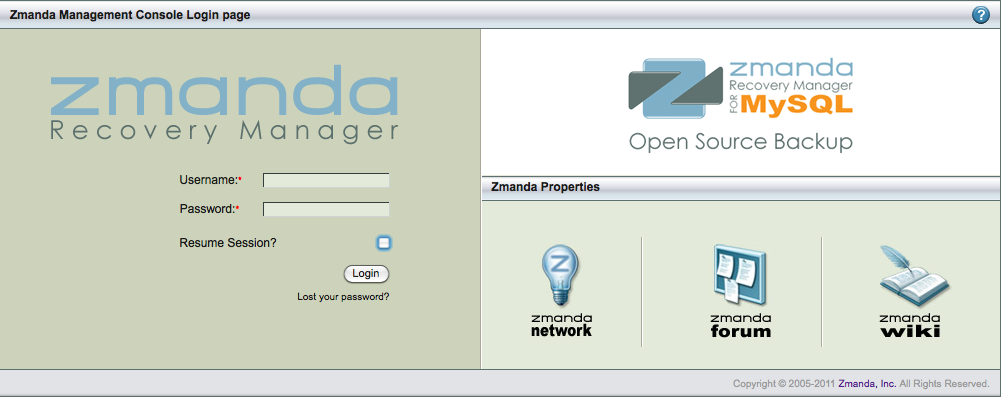
The ZMC is web-based, and can be accessed from any machine on the network.
To access ZMC, open any web browser and point it to the ZMC server. For example. if the backup server is ZMCbackupserver.company.com, and you have specified port 1234 for web services during the installation process, use the following URL:
https://ZMCbackupserver.company.com:1234
By default, the ZMC web server uses port 80.
Initial User name and Password
After the you have downloaded and installed the ZMC, log in with the default user name "admin" using a password of "admin”.
Important note: We strongly recommend that you change the password as soon as possible.
Common Functionality
About /User Guide
The About link displays a page with the ZMC version number. User Guide links to the Table of Contents of this manual.
Question Mark Icon
The Question Mark icon links to the context-appropriate page of this manual.
Change Backup Set/Admin/Log out/
The Change Backup Set dropdown menu lets to select a different backup set. Teh Admin link brings you to the Admin page, where you can set up ZRM for MySQL users, configure backup sets, and set user preferences. The Log Out exits the ZMC.
Five Icons
Beginning with the shopping cart icon, the five icons grouped in Box 4 take users to various Zmanda forums.
Navigation Tabs
Navigation tabs let you jump to the appropriate page. They also guide users in choosing the next step in a work flow.
Alert Box / Event Log Icons
The Alert Box and Event Log icons are grouped together in Box 6. Clicking the Alert Box icon opens the alert box where alerts from Zmanda Network are displayed in brief. The Alert Box is detailed here. Clicking the Event Log icon opens the Event Log page where log files are displayed. The Event Log page is detailed here.