
Table of contents
- 1. Introduction
- 2. Procedure
- 2.1. Backup Status Summary
- 2.2. Legend
- 2.3. Time Line/Monitor Chart
- 2.4. Refresh Status
Introduction
- Monitor Page visually shows the running status of the Backup Set.
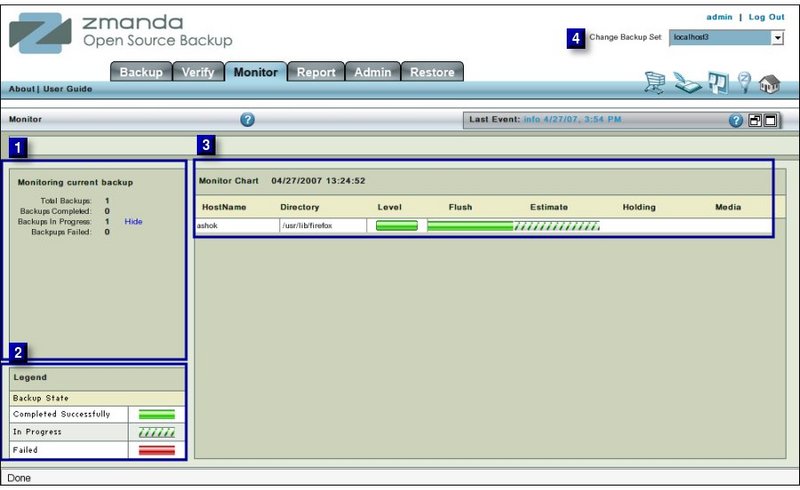
- If the Backup is already over, it will give a message 'NO ACTIVE BACKUP RUNS FOR "...". in the middle window.
Procedure
- Select from the drop down list (labeled No1 above) the Backup Set whose last Backup the user wants to study.
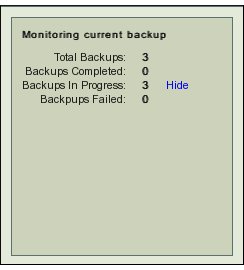
- The summary of the Backup Status is displayed in Box 2.
Backup Status Summary
- Total Backups:
- The Total Number of Disk List Entries(DLEs) that are scheduled to be Backed up.
- Backups Completed :
- Number of DLEs whose Backups has been completed.
- Backups in Progress :
- The number of Backups that are in progress. The show/Hide hyper link allows users to switch on/off the Time Line Monitor display.
Legend
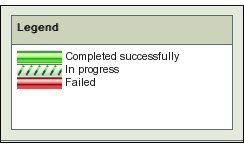
- The Legend Box displays the three legends that are used in the Time Line section
Time Line/Monitor Chart
- The Area in Box 3 displays the Time Line of the Backups that have already been done as well as those that have been started.

- Each Disk List Entry is displayed as a separate row.
- Each row displays the following information:
- Host Name: The client Host name as entered in the Disk List.
- Directory:The starting Directory from which the backup begins.
- Level:
- ZMC schedules its own Backup Levels and automatically selects them.
- Level 0, Full Backup, is indicated by a solid green bar as in second row above.
- Level 1 and above, incremental backup, is indicated by a partial green bar as in rows one and three above.
- Flush:
- Flushing transfers the data from the Holding Disk to the tape.
- ZMC first checks that the data of last backup run has been flushed to tape or not.
- If that has been done, a solid green bar will appear under this section.
- If flushing is in progress, a partial green bar will appear under this section.
- In Fig 4 all DLEs have been successfully flushed.
- Estimate:
- ZMC requests each client to furnish an estimate of the size of backup. This process takes some time.
- While it is in progress, partial green bars will appear in the rows. When it is over a solid green bar will appear there.
- In Fig 4 the estimate process has been completed for the second DLE.
- Holding:
- When Backup image is to be written to a Holding Disk, the Time line will show partial or solid green bars depending upon the status.
- Media:
- Whether the Data has been written to the Backup Media with success.
Refresh Status
- The page does not automatically refresh itself .
- From time to time users will have to refresh the page from the browser window for it to display newer contents.